Pool service software

Run your pool routes from your phone. Bill from anywhere.

SenSPool keeps your daily routes, visits with photos, customer reports, monthly invoices and real profit in one simple app, made for pool service companies of 1 to 10 people.

No credit card needed for the trial.
  • Techs follow today's route and log each visit in 5 steps
  • Customers get a report with photos after every visit
  • Monthly invoices and profit reports, ready when you are
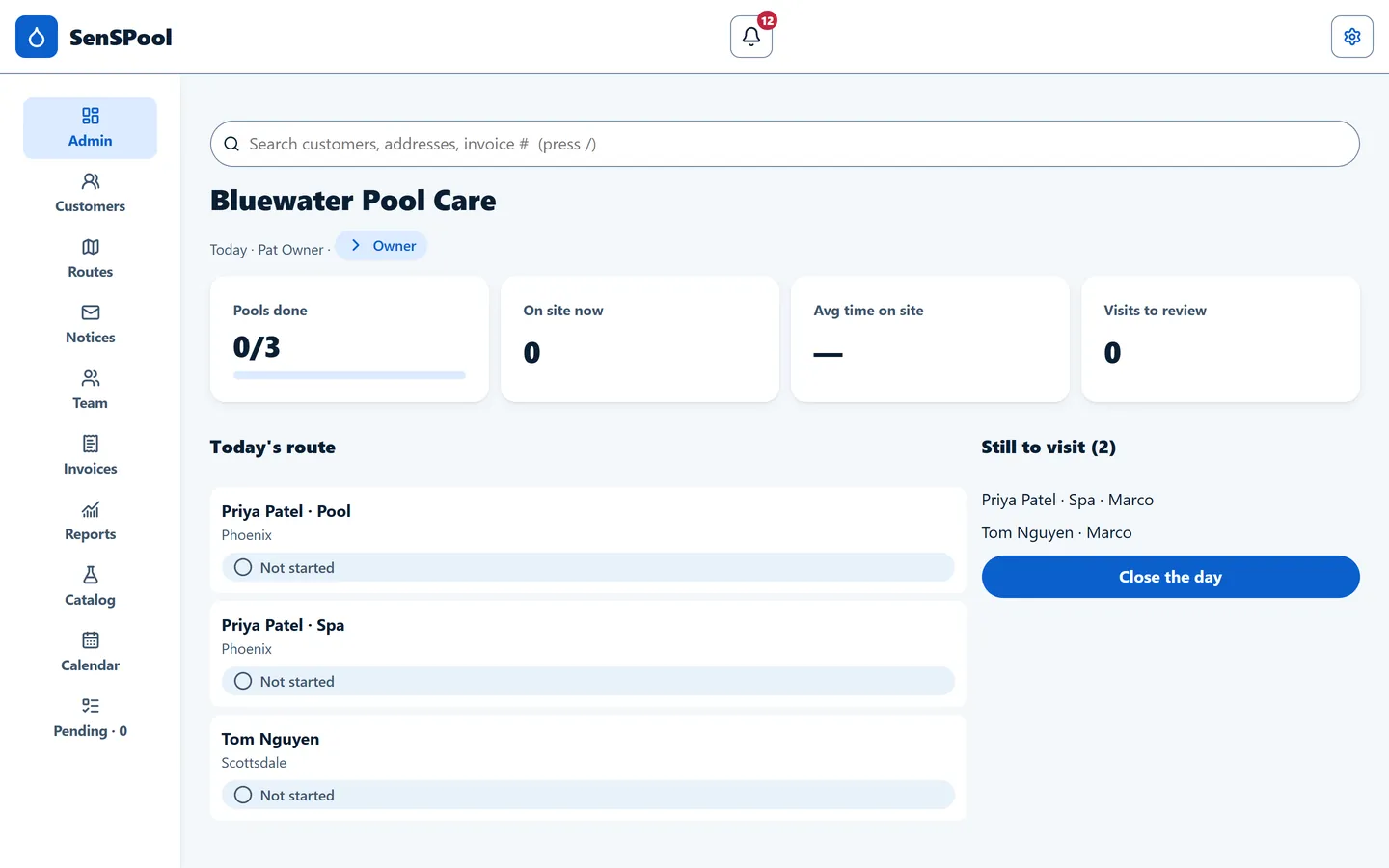
SenSPool admin dashboard on a computer: pools done today, who is on site, average time on site and today's route Technician's phone showing today's route with the first stop, gate code and dog warning

Made for small pool service companies

From one person running every route to a team of about ten. No big setup, no training days.

Solo operators

You clean the pools and send the invoices. SenSPool works complete with one person, no team to invite.

Owners who still run a route

Do your own stops in the morning with "My route", then check the team and bill in the afternoon.

Small teams with admin staff

Techs work from their phones. The owner or admin staff manage customers, routes and billing from a phone or computer, wherever they are.

Everything a pool day needs

Real screens from the app. What you see is what you get on day one.
For technicians

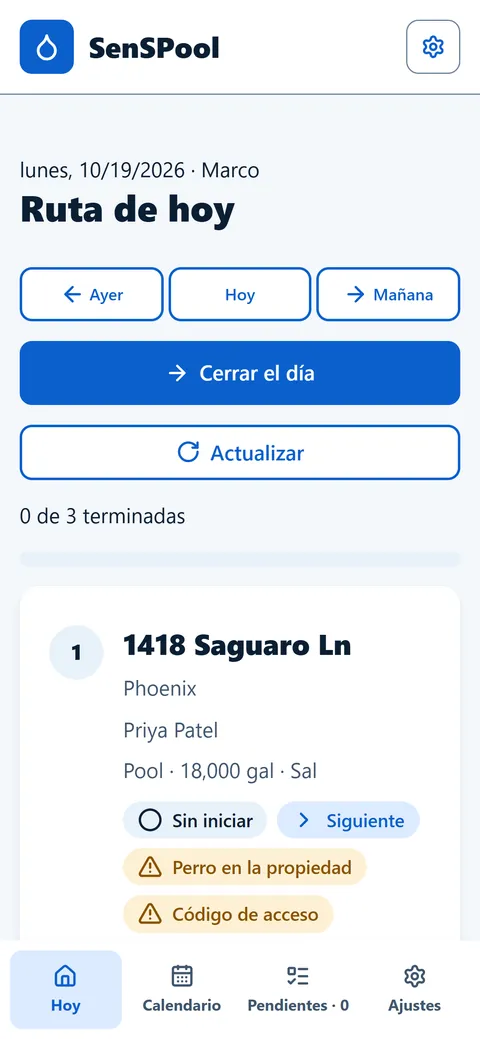
The tech app lives on the phone

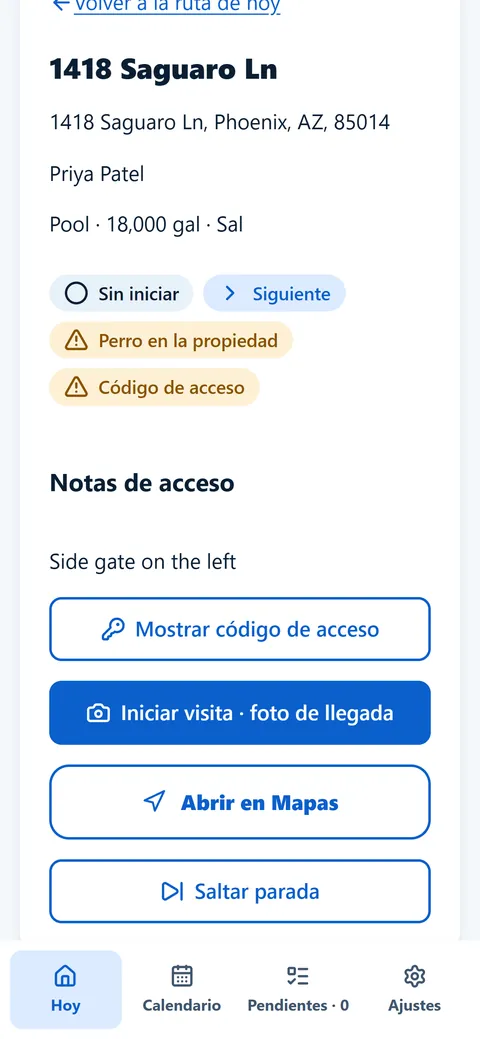
  • Today's route in order, with gate codes, access notes and warnings like "Dog on property".
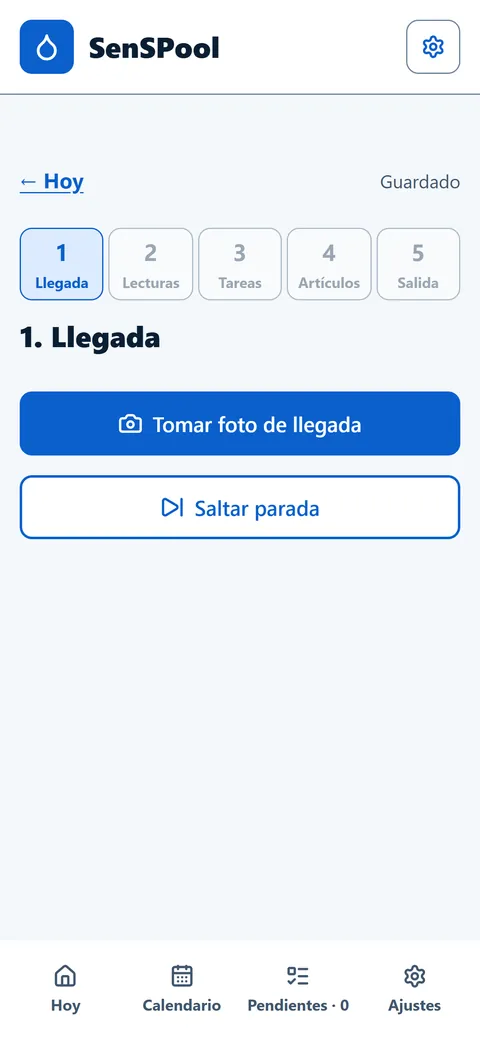
  • A visit in 5 steps: arrival photo, readings, tasks, items used and departure.
  • Photo required to skip a stop, so you always know why a pool wasn't done.
  • Works with no signal. The visit in progress is saved on the phone and syncs when the connection is back.
Stop detail with address, pool size, access notes and buttons to show the gate code, start the visit, open in Maps or skip the stop
Stop detail and gate code
Visit screen with five steps: arrival, readings, tasks, items and departure, starting with the arrival photo
Visit in 5 steps
For the owner and admin

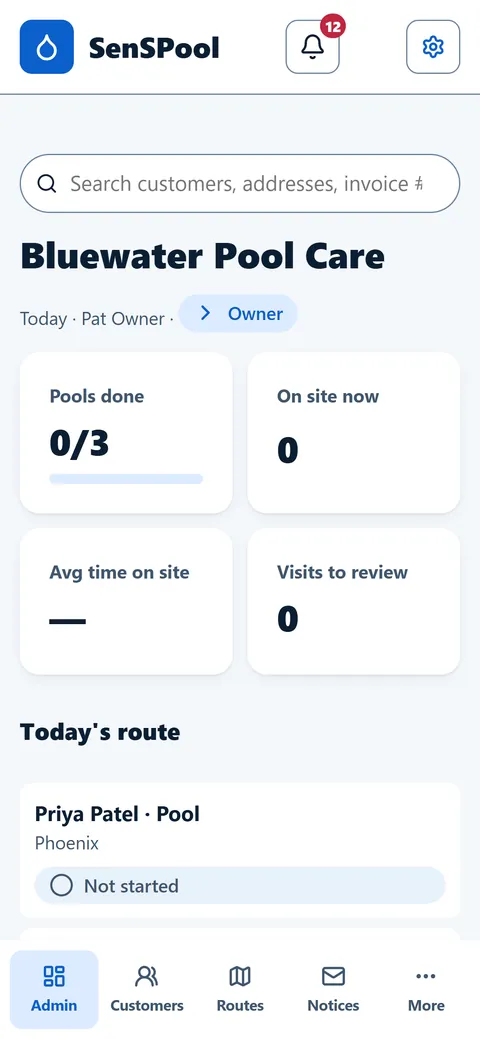
See the whole day at a glance

  • Pools done, who is on site now and average time on site, live.
  • Still to visit list and a "Close the day" check so nothing is forgotten.
  • Alerts when a pool is skipped or a visit needs attention.
Admin dashboard on a phone with pools done, on site now, average time on site, visits to review and today's route
Admin dashboard on the phone
Routes

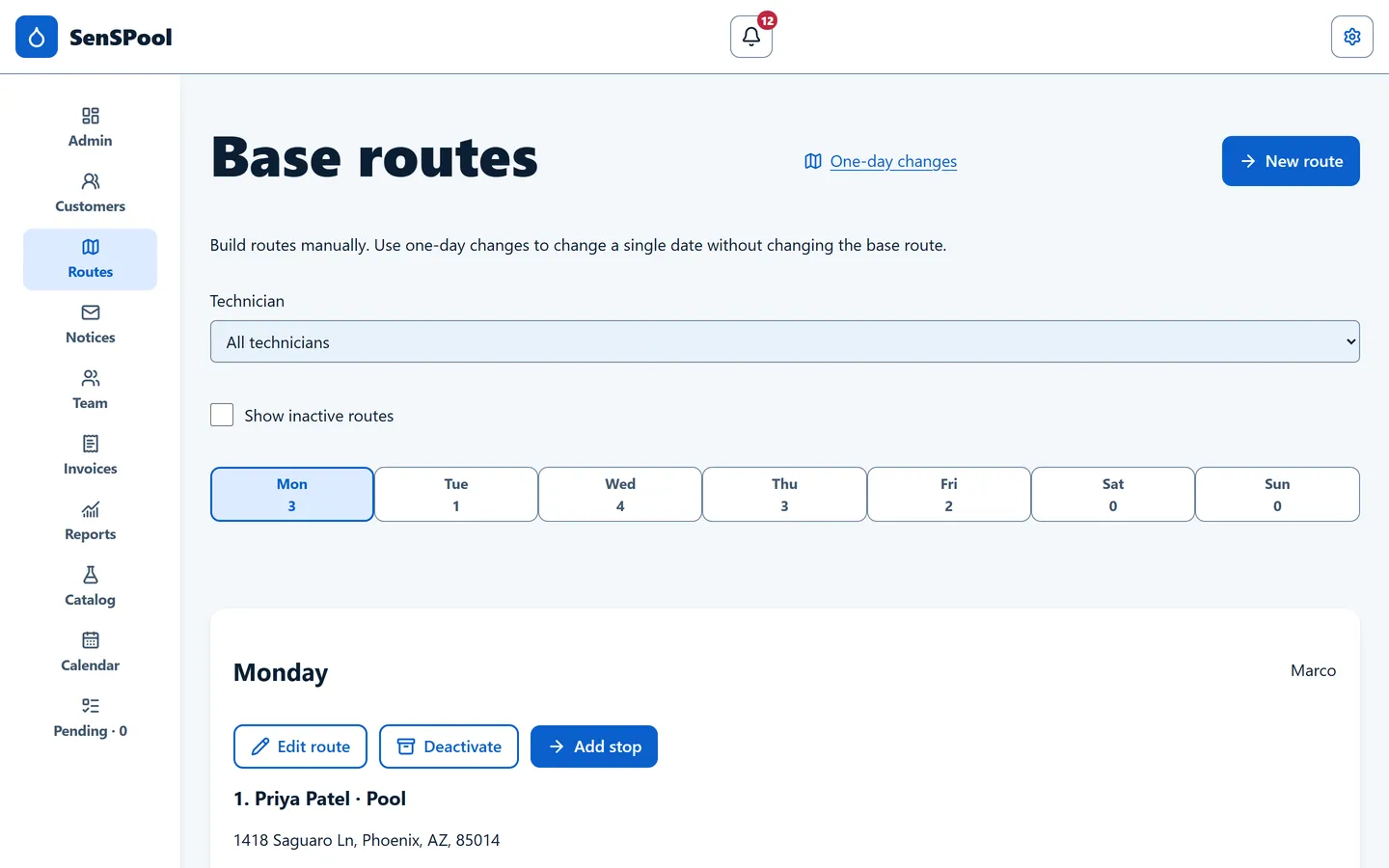
Routes you build by hand, one per day

  • Base routes for each day of the week and each tech (or yourself).
  • One-day changes to move or add a stop for a single date without touching the base route.
  • Commercial pools visited several days a week? Add them to more than one route.
Base routes screen on a computer, with stops per day of the week and a filter by technician
Base routes on a computer
Customers

Customers get a report with photos

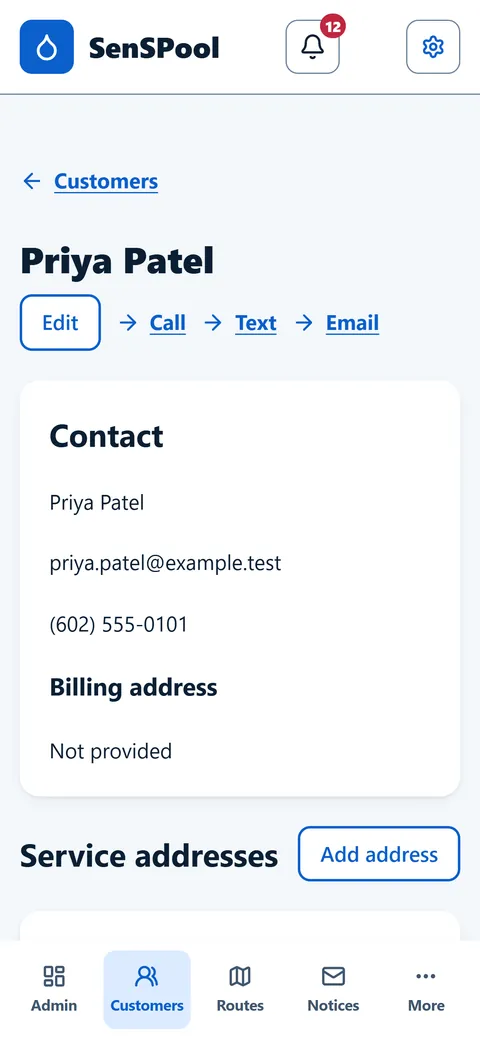
  • After each visit, the customer can get a visit report by email with readings, work done and photos.
  • A "Text customer" button opens a ready-to-send text or WhatsApp on your own phone.
  • Each customer chooses which notices they want, and their consent is recorded.
Customer detail screen with contact information, Call, Text and Email shortcuts and service addresses
Customer detail
Billing

Monthly invoices and payments

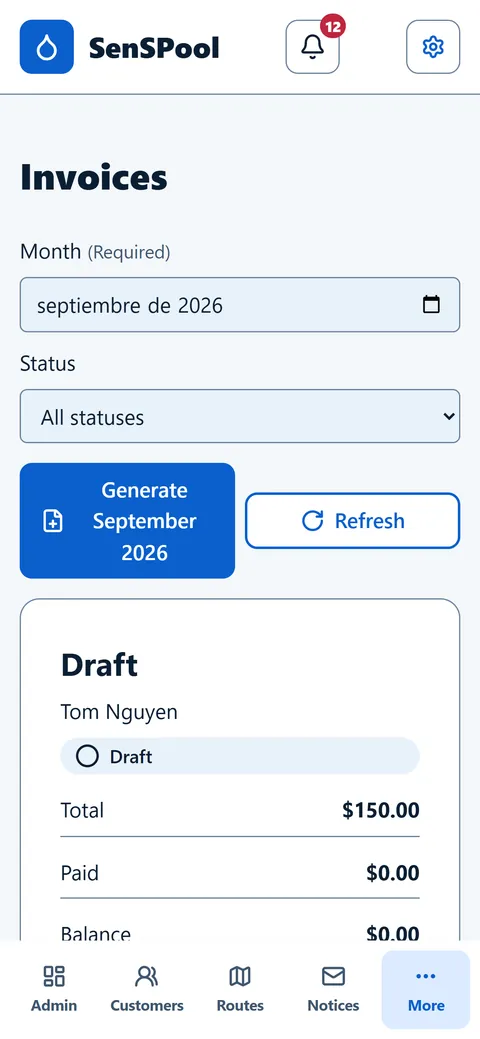
  • Generate the month's invoices from completed visits: the plan price plus billable items and extra charges.
  • Record payments and see the balance on each invoice.
  • Automatic payment reminders a few days after the due date.
Invoices screen with a month picker, a button to generate the month's invoices and a draft invoice showing total, paid and balance
Invoices by month
Reports

Know your real profit

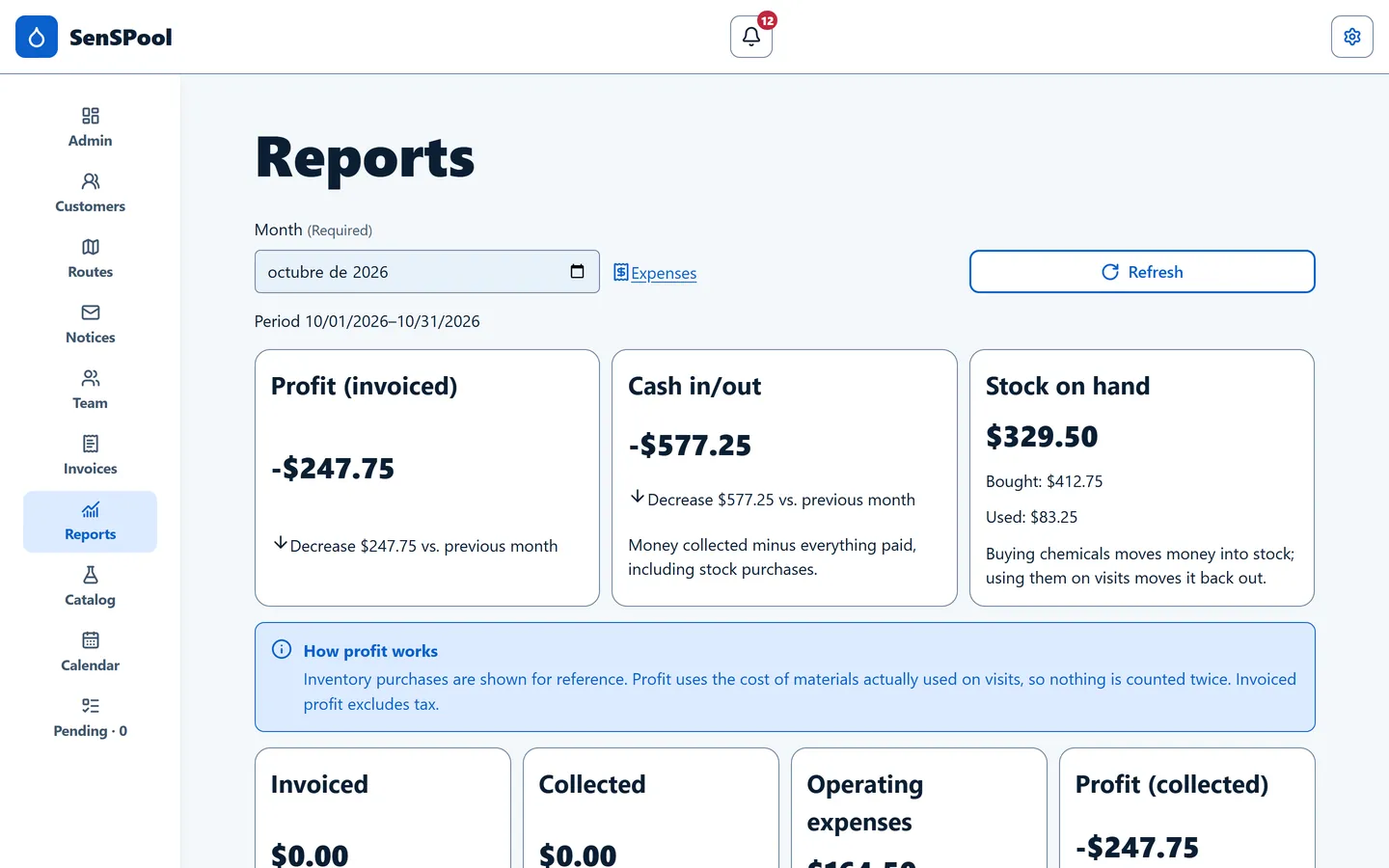
  • Profit for the month from what you invoiced and what you spent.
  • Cash vs. stock: buying chemicals lowers your cash and raises your stock; it only counts against profit when it's used on a visit.
  • Compare with the previous month in one tap.
Monthly reports on a computer with profit and cash in and out compared with the previous month
Monthly reports (sample data)
Languages

Everyone in their own language

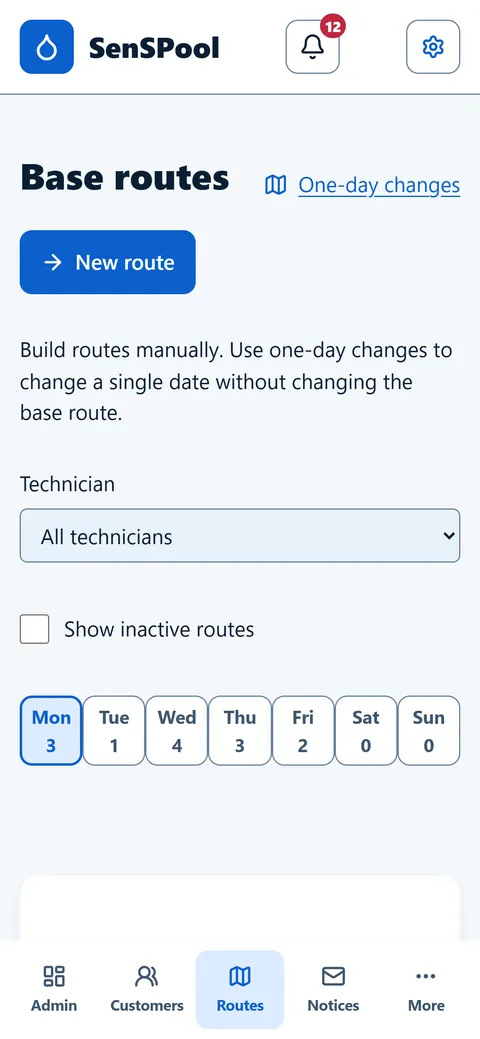
Each person picks English or Spanish. Your techs can work in Spanish while the admin works in English, on the same account, with the same data.
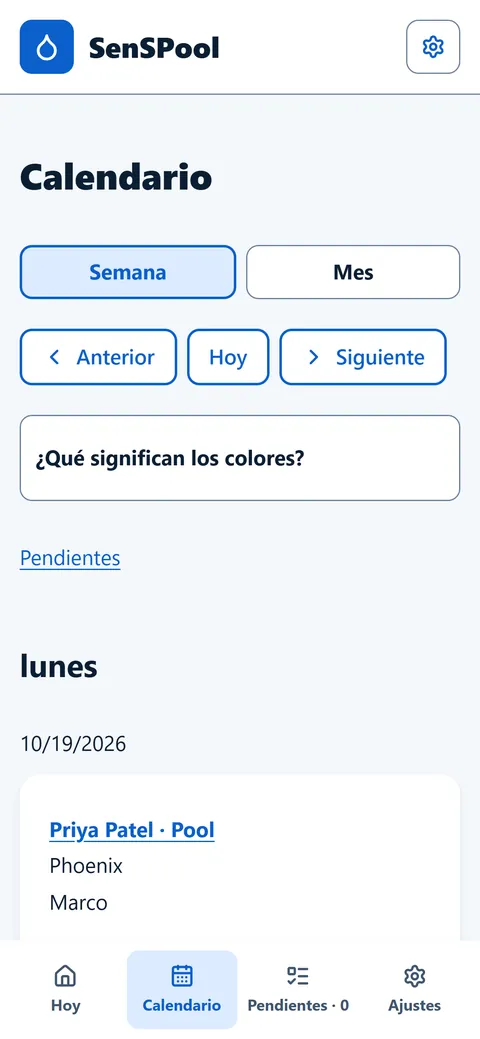
Technician calendar in Spanish with week and month views and the stops for Monday
Tech calendar, in Spanish
Admin routes screen in English with a New route button, technician filter and days of the week
Admin routes, in English

See it in action

Short videos of the real app on a phone. Captions are in Spanish, like many crews use it.

A tech does a full visitArrival photo, readings, tasks, chemicals and departure photo — under a minute.
Build a routePick the day, search the pool, choose how often. Done.
Invite a technicianOne link by WhatsApp or text. They sign up and install the app.
Install it on iPhoneNo App Store: Safari → Share → Add to Home Screen.

Simple pricing

You pay for the people who run routes. Admin staff who don't run a route are free.

Solo

For one person doing it all

$29 / month

  • 1 person on route
  • Every feature included
  • Admin users at no cost
Start free trial
  • 14-day free trial with every feature. No credit card needed.
  • A "person on route" is a technician, or an owner or admin who has a route of their own.
  • Example: 5 people on route = $59 + 2 × $15 = $89 / month.
  • Prices in US dollars. Cancel anytime.

Questions

Do I need a credit card to try it?

No. The 14-day trial is free and doesn't ask for a card. Add a payment method only if you decide to stay.

Does it work without cell signal?

Yes. The visit in progress is saved on the phone, photos included, and syncs when the connection comes back. A visit is never lost for lack of signal.

Does it work on iPhone and Android?

Yes. There's nothing to download from an app store: open app.senspool.com in the phone's browser and add it to the home screen. It also works on any computer.

Can I cancel?

Yes, anytime, with no contract. If the trial ends or you cancel, your data stays and the account becomes read-only until you subscribe again.

Do admin staff count toward the price?

No. Only people who run a route count. Admin staff who manage customers, routes and billing without a route of their own are free.

Try SenSPool on your next route

14 days free. No credit card.